Parcel data received is a carrier-side scan event confirming a shipment’s tracking information has been transmitted to the carrier’s system, but the physical package has not yet been picked up or inducted into the carrier network.
Most eCommerce operators misread this as proof of forward movement.
The status appears the moment a shipping label is generated and scanned into the carrier’s database, 12 to 48 hours before the carrier physically touches the parcel.
Your customer sees “shipped.” Your carrier hasn’t moved anything yet.
Why This Status Causes Customer Service Problems
Customers counting delivery windows from label creation, not actual pickup, creates a real expectation mismatch. For high-volume D2C fulfillment brands, even a 24-hour label-to-pickup lag compounds fast across your order queue.
- The status does not confirm that the carrier has the package
- It does not start the official transit clock for most carriers
- It does not guarantee the label will be used; voided labels can sit in this state indefinitely
The Actual Sequence Behind the Status
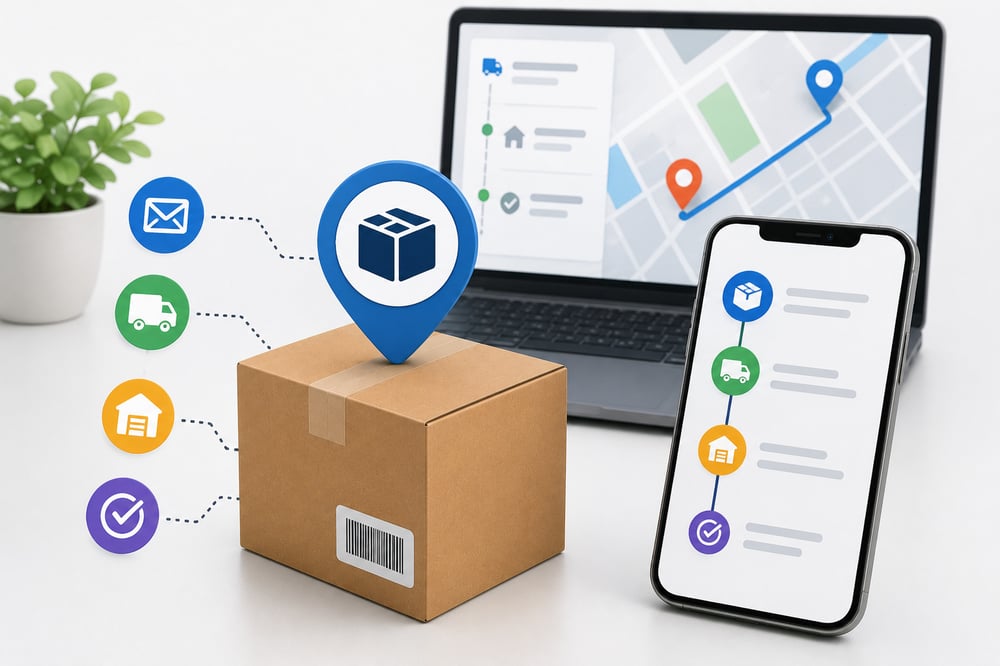
The sequence runs: label generated, data transmitted to carrier API, scan event logged, physical pickup pending. Your tracking portal reflects step three. Your parcel is still at step four.
Until a carrier facility scans the package as “accepted” or “in transit,” the shipment exists only as a data record. Treat it that way.
What “Parcel Data Received” Means in the Shipping Process
Parcel data received means a carrier’s system has logged your shipment’s details, weight, dimensions, destination, and tracking number, but hasn’t physically scanned the package yet. The data exists in the network before the parcel does.
You’ll see this status on outbound orders the moment a shipping label gets generated, whether that’s at your 3PL warehouse or a dropship supplier’s dock. It’s a pre-scan state, not a confirmed pickup.
The distinction matters because customers often interpret this as “shipped,” when the package may still be sitting on a pallet waiting for the carrier driver.
That gap between label creation and actual carrier handoff is where most “where’s my order?” tickets originate, and understanding what parcel data received means helps you answer those questions before they become complaints.
Breakdown of the Whole Process
- The carrier scans the parcel at intake. When a package arrives at a carrier facility or sorting hub, a barcode scanner reads the shipment label and records the scan event in the carrier’s tracking system. This is the action that generates the “parcel data received” status.
- The tracking system timestamps and transmits the event. The carrier’s OMS pushes the scan event data, including timestamp, facility code, and package weight, to its tracking API. That data becomes visible to anyone polling the API, including your eCommerce platform, 3PL dashboard, or customer-facing tracking page.
- Your fulfillment platform registers the status change. A WMS or shipping platform receives the API update and logs it against the original order record. This is where the status your customer sees gets populated.
- Downstream notifications trigger automatically. Most platforms fire a customer notification email or SMS within minutes of the status update, based on pre-configured rules. If no physical scan follows within 24-48 hours, that gap is your first signal of a potential delay.
Key Components of Parcel Data Received
Several systems work together to generate and display the parcel data received status, from the initial carrier scan to the tracking update visible to customers.
Carrier Scan Event
The carrier scan event is the physical trigger, a barcode or QR code read at a carrier facility that timestamps the handoff. Without this scan, no order status update exists in the tracking chain.
Electronic Data Interchange (EDI) or API Feed
Scan data travels to your order management system through an EDI transmission or API feed. If this feed breaks, customers see no update even though the carrier has the parcel.
Timestamp and Facility Code
Every event carries a timestamp and origin facility code showing exactly where and when custody was transferred, your primary evidence in any carrier dispute or lost-package claim.
Shipment Reference Matching
Shipment reference matching links the scan to a specific order using the tracking or PRO number. If the reference wasn’t transmitted correctly, the status update won’t attach to the right order, a mismatch affecting roughly 1-2% of high-volume shipments.
Make Your Shipping Updates Match Real Carrier Movement
Parcel data received is an early-stage tracking status, not proof of movement. It confirms the carrier has received the shipment information electronically, but the package itself may still be waiting for pickup or processing.
For eCommerce brands, understanding this distinction helps reduce customer confusion, set realistic delivery expectations, and identify fulfillment delays before they turn into support tickets.
Talk to a Fulfyld fulfillment specialist to reduce tracking confusion, improve shipment visibility, and ensure your “shipped” updates actually reflect real carrier movement from day one.