

Understanding your actual take-home pay can feel like decoding a puzzle. Between gross wages, tax withholdings, retirement contributions, and various deductions, figuring out what actually lands in your bank account isn’t always straightforward.
That’s where our payslip calculator comes in handy; it takes the guesswork out of your earnings and shows you exactly what to expect on payday.
Understanding Your Payslip Breakdown
Your payslip tells the story of your earnings from start to finish. Here’s what makes up the numbers you see on payday.
What Goes Into Your Gross Pay:
- Base hourly rate or salary – Your agreed-upon compensation for standard work hours
- Overtime earnings – Extra hours typically paid at 1.5 times your regular rate
- Bonuses and commissions – Performance-based pay that varies by period
- Holiday and vacation pay – Compensation for earned time off
Gross pay represents your total earnings before anything comes out. This is the number you negotiate when accepting a job, but it’s not what you’ll see in your bank account.
Common Pre-Tax Deductions:
- Retirement contributions (401k, 403b)
- Health insurance premiums
- HSA or FSA contributions
- Dental and vision insurance
These deductions reduce your taxable income before taxes are calculated, which means you pay less in overall taxes. It’s one of the few times that having money deducted actually benefits you financially.
Your employer withholds federal income tax based on your W-4 form, state income tax (if applicable), and FICA taxes for Social Security and Medicare. These aren’t optional; they’re legally required withholdings that pay your taxes throughout the year rather than all at once.
How to Use the Calculator Effectively
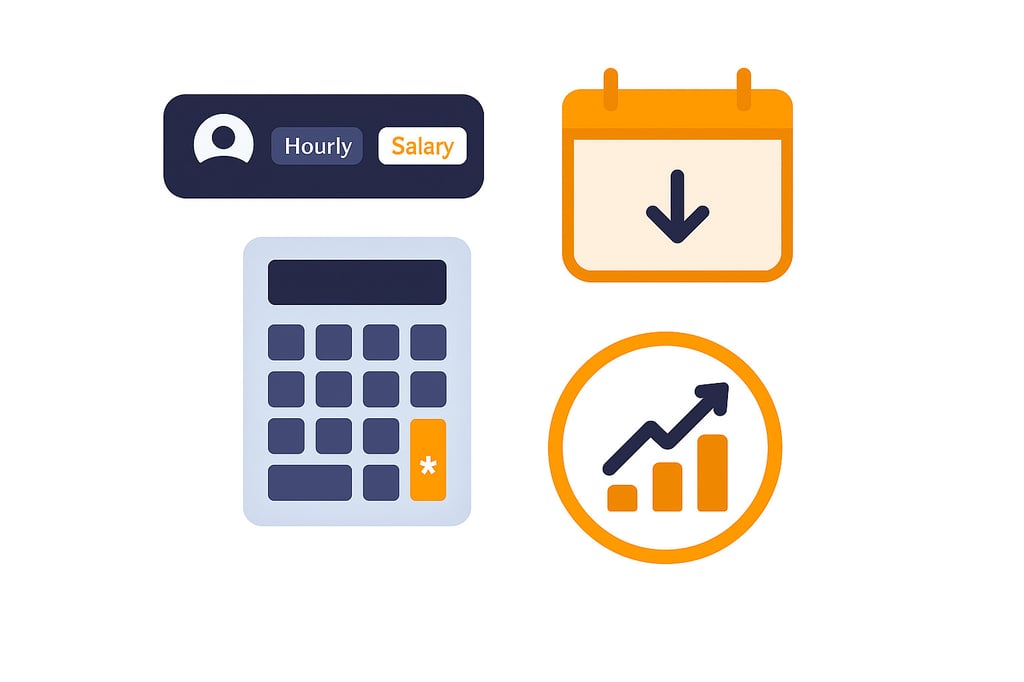
Getting accurate results means entering the right information. Here’s a quick guide to each feature:
Choose Your Pay Type:
Select hourly or salary based on how you’re paid. Hourly workers enter their rate and hours worked during the pay period, while salaried employees input their annual salary; the calculator handles the division based on your pay frequency.
Set Your Pay Frequency:
- Weekly (52 paychecks/year) – Common in retail and hospitality
- Bi-weekly (26 paychecks/year) – Most popular in the United States
- Semi-monthly (24 paychecks/year) – Often used for salaried positions
- Monthly (12 paychecks/year) – Less common but still used by some employers
Include Overtime:
Don’t mix overtime with regular hours. Use the dedicated overtime section since those hours are paid at 1.5 times your regular rate. This ensures accurate calculations and shows exactly how much those extra shifts are worth after taxes.
Add Pre-Tax Deductions:
Enter the total amount that comes out before taxes, which includes 401(k) contributions, health insurance premiums, and HSA contributions. These reduce your taxable income and give you a more accurate tax burden calculation.
Adjust Tax Withholdings:
The default is 22%, which works for many workers, but your rate depends on income level, filing status, and state. Check a recent pay stub to see what percentage of your gross pay goes toward taxes, then adjust accordingly.
Planning Your Budget with Take-Home Pay
Once you know your actual take-home amount, you can build a realistic budget. Too many people plan based on gross salary, then wonder why they’re short every month. The difference between what you think you earn and what actually hits your account can be 20-30%, which creates a significant gap in financial planning.
Create a Monthly Budget:
Take your per-paycheck net amount and multiply it by how many checks you receive monthly. For bi-weekly pay, that’s usually 2 paychecks, though you’ll get an extra one twice a year. Budget with the lower number and treat bonus paychecks as savings opportunities or debt payoff chances.
Smart Spending Breakdown:
- Fixed expenses (rent, car payment, insurance) – Should be 50-60% of take-home pay
- Variable expenses (groceries, gas, utilities) – Based on actual spending patterns
- Savings and debt payoff – Aim for at least 20% if possible
- Discretionary spending (entertainment, dining) – Fills remaining space
This breakdown isn’t rigid, but it gives you a framework to work within. If your fixed expenses exceed 60%, you might need to consider ways to reduce housing or transportation costs.
Don’t Forget Annual Costs:
Car registration, insurance premiums, and holiday spending hit once or twice yearly. Divide these by 12 and set that amount aside monthly so you’re prepared when bills arrive. Many people get caught off guard by these predictable expenses simply because they don’t plan for them.
Build Emergency Savings:
Financial experts recommend 3-6 months of expenses saved. Knowing your exact take-home pay helps calculate this target and determine how long it takes to reach it. Even $50-100 per paycheck adds up faster than you think. If $100 per check seems impossible right now, start with $25 and increase it when you can.
Comparing Job Offers and Negotiations

When weighing job opportunities, comparing salaries at face value tells you nothing. A $70,000 offer with great benefits might leave you with more money than an $80,000 offer with higher costs.
Look Beyond the Base Salary:
- Health insurance quality – A $500 monthly premium versus $200 represents $3,600 annual difference
- Retirement matching – 6% match versus 3% significantly impacts long-term wealth
- Commute expenses – Gas, tolls, parking, or transit add up quickly
- Professional costs – Required wardrobe or continuing education expenses
- Location – Higher cost-of-living areas require higher salaries
Use Numbers in Negotiations:
Run any offer through the calculator to see the actual take-home pay. Calculate what you need to live comfortably and save for goals. If there’s a gap, you have concrete numbers for negotiation. Instead of “I need more money,” you can say “The take-home would be X, but I need Y. Can we discuss a salary of Z to bridge that gap?”
This approach shows you’ve done your homework and presents a clear case based on real numbers rather than vague requests.
If you manage payroll or hiring budgets, understanding costs is just as crucial as knowing take-home pay. Our labor cost calculator helps you factor in employer contributions, taxes, and benefits to see the real cost of each employee.
Transform Payroll Clarity Into Confident Money Management
Understanding your true take-home pay is the foundation of financial confidence. By using the payslip calculator, you turn confusing deductions into clear insights, showing exactly where your money goes and how much you truly earn.
With that clarity, you can build realistic budgets, plan savings, and evaluate job offers with precision. Whether it’s managing monthly expenses or negotiating your next role, knowing your net pay empowers smarter, more confident financial decisions every payday.