

Shipping labels look simple until one goes out wrong. A transposed digit in a zip code, a missing weight field, or a tracking number that doesn’t match the manifest, and a package sits in the wrong facility for days.
Getting the label right the first time saves you that headache. Google Sheets happens to be a solid, no-cost way to build one.
No design software, no print shop contract, just a spreadsheet and a layout you can reuse on every order that comes through.
Free Shipping Label Template: The Fields Every Label Needs
Skip the guesswork. Whether you’re grabbing a ready-made layout or starting from a blank shipping label template, the same core data has to be on there.
Otherwise, a carrier will bounce the package back to you if a required field is missing.
Fulfyld keeps a growing set of free, editable templates if you’d rather compare a few layouts before committing to your own.
If you’re customizing this one, use the table below as your checklist before you build.
| Field Category | What to Include | Why It Matters |
| Sender Info | Business name, return address, contact number | Needed for returns and undeliverable packages |
| Recipient Info | Full name, shipping address, phone/email | Prevents misdeliveries |
| Package Data | Weight, dimensions, package count | Drives accurate carrier rate calculation |
| Tracking Fields | Order ID, tracking number, ship date | Let’s support tracing a shipment fast |
| Carrier Details | Carrier name, service level, zone | Keeps formulas and delivery SLAs aligned |
Match the Template to the Right Label Size
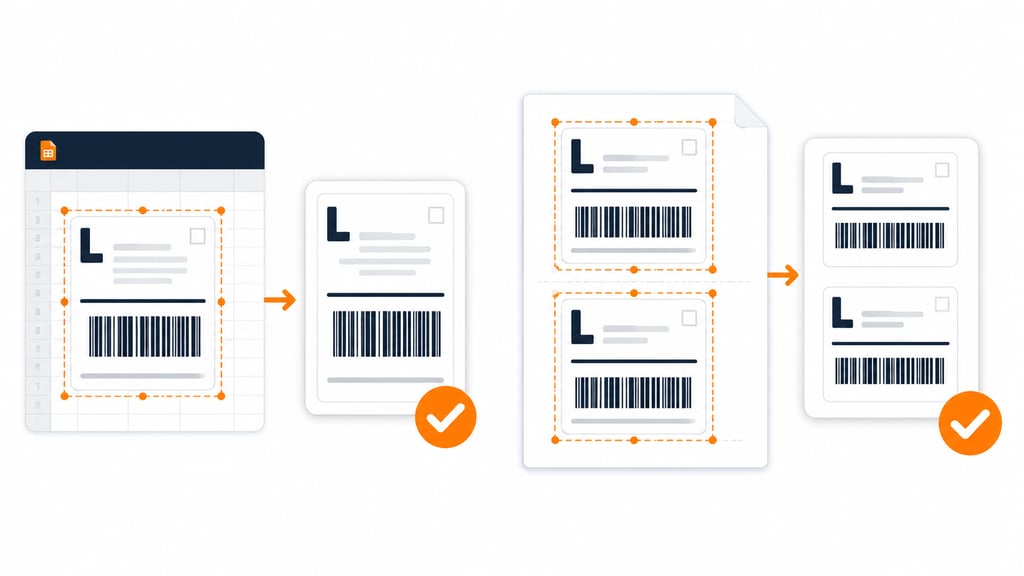
Before you format a single cell, decide what size the label actually needs to print at. The 4×6 format is the standard nearly every major carrier accepts, including USPS, UPS, FedEx, and DHL.
No thermal printer on hand? An 8.5×11 sheet works fine too, split into two half-page labels for a regular inkjet or laser printer.
Fulfyld has a full walkthrough on printing a label without a thermal printer if you want the exact settings.
Set your Google Sheets print area to match whichever size you land on. Locking this in early saves you from cropped addresses or a barcode that prints half off the page later.
Build the Sheet: Rows, Columns, and a Repeatable Layout
Treat each row as one shipment and each column as one field, the same logic mail-merge tools use for printed labels.
Set the first row as your header, since that’s what tells the sheet which column holds which value. Use the checklist above for what belongs in those columns, then add one more.
A dedicated column for order IDs means any package can be traced back to its record fast, without digging through the whole sheet. Freeze that header row so it stays visible as your order list grows.
Keep package information in its own column too, separate from notes or comments. One field, one column keeps the sheet exportable and easy to audit.
Automate It With Formulas and Functions
This is where a spreadsheet template earns its keep over a static PDF. Let the sheet do the math, and every order after that takes a fraction of the time.
| Feature | What It Does |
| Cost formulas | Calculates shipping costs, taxes, and insurance automatically |
| Conditional formatting | Flags a zero-weight package or a blank address line before it ships |
| Data validation | Stops a teammate from typing text into a field meant for a zip code |
| Dropdown menus | Standardizes carrier names and service levels, cutting down on typos |
Set these up once, and they keep paying off on every order that follows.
Brand It So It Looks Professional
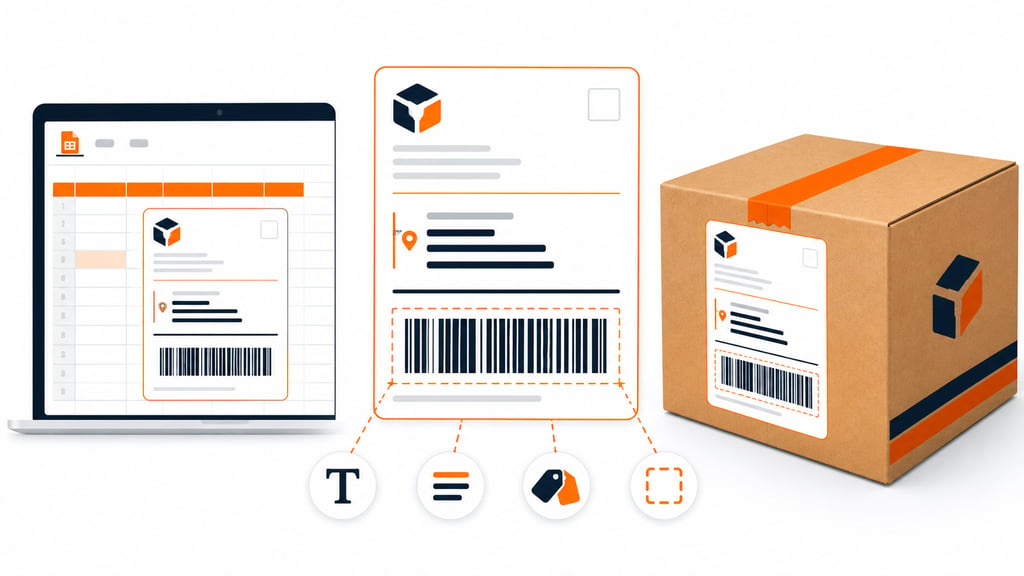
A label that’s easy to scan gets handled correctly more often. Add your logo first, then work on legibility.
- Pick a font that stays readable at small sizes
- Bold or enlarge the recipient address, since that’s what the carrier scans first
- Color-code by carrier or service level if you ship through more than one
- Leave clear white space around the barcode area
That white space matters more than it looks. Barcode scanners need a clean, unmarked margin around the code to read it correctly, so keep logos and borders away from that zone.
A clean, consistent label also does quiet work for your brand; it signals that a real, organized business packed that box.
Placement counts too. If you’re not sure where it belongs on the box itself, Fulfyld has a quick guide on where to put a shipping label.
Test It Before You Rely On It
Don’t put a brand-new template straight into production. Run it through real scenarios first, not just the tidy example order you used to build it.
Try an address with an apartment number, an oversized shipment, and a rush order with insurance added. Edge cases are where a layout usually breaks. Ask a teammate to fill it out cold, without your guidance, and watch where they get stuck.
Adjust any formulas that return errors or numbers that don’t match your carrier’s rates, and don’t call it finished until it survives a few messy, real orders.
Save, Protect, and Share the File
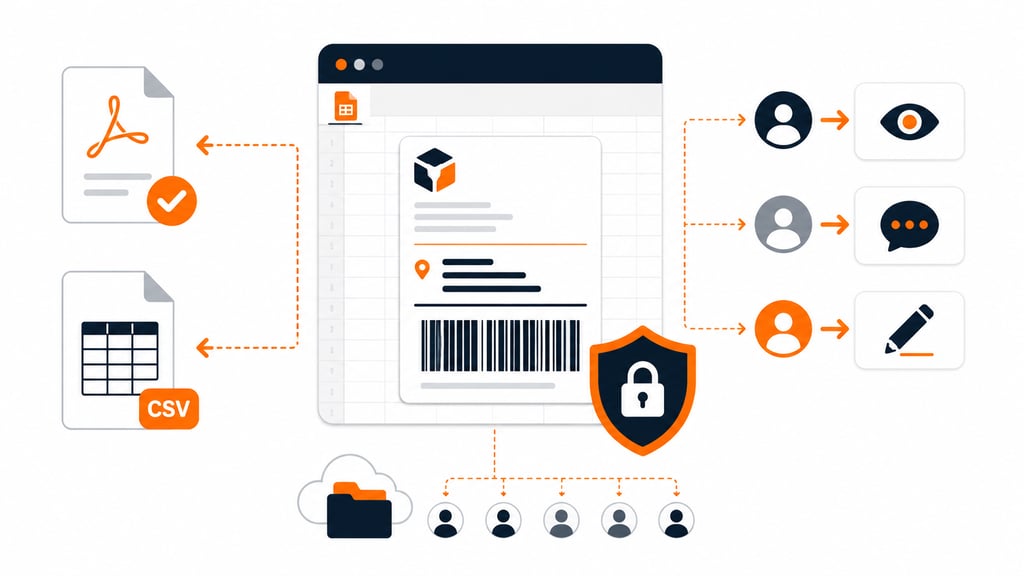
Once it’s solid, lock in the format and set who can touch it.
- Export a PDF when you need to print the label exactly as designed, logo, fonts, and all
- Export the shipment data as CSV only when you need to feed those records into another system, since CSV keeps the text and numbers but drops all formatting
- Restrict editing on the master copy so the layout doesn’t get changed mid-shift
- Give view or comment access to anyone who only needs to reference it
- Keep the working file in a shared drive so the team pulls from one version, not five
Need a different piece of your workflow covered too? Fulfyld’s Amazon packing slip template is a natural next stop if you’re building out your full order paperwork.
Download Template For Shipping Label
Make Your Shipping Label Setup Work Every Time
A solid label setup does more than look tidy. It cuts down on mislabeled packages and speeds up your packing line.
It also gives your brand a more professional footprint on every box that goes out the door.
Build it once, test it against real orders, and refine it as your product mix or carrier list changes. A template that fits your actual volume beats a generic one every time.
Templates track the work. We do the work.
This file will carry you a long way. But past a few hundred orders a month, tracking fulfillment in a spreadsheet becomes the bottleneck. That is the point of a 3PL: Fulfyld picks, packs, and ships every order under a formal SLA with automatic credits, one flat all-inclusive per-order price, and a dedicated account manager who knows your catalog.
Get a real quote