

Every strong Etsy listing starts with a clear structure, not a blank page. A solid Etsy description template gives you a repeatable framework for title, materials, dimensions, care instructions, and shipping details, so you’re not rebuilding each listing from scratch.
This free, editable template works in Microsoft Word and keeps every listing on brand. Below: what belongs in it, how Etsy’s search reads it, and how to make it yours.
What Belongs in an Etsy Description Template
This is the part sellers get wrong most often: they write descriptions in whatever order comes to mind, then wonder why buyers bounce before checkout. A proper template fixes that by locking in the same structure every time.
At minimum, your template needs these sections:
| Section | Purpose |
| Title | Names the product and works its way into Etsy search results. |
| Opening description | Explains what the item is and why it matters, in two or three sentences. |
| Dimensions | Prevents sizing disputes and returns. |
| Materials | Builds trust, especially for handmade or custom goods. |
| Care instructions | Reduces support questions after the sale. |
| Shipping details | Sets expectations on processing and delivery time. |
Each row above becomes a heading in your Word document. Keep the headings larger and bolder than the body text underneath them, since Etsy shoppers skim, and a document that’s easy to scan converts better than a wall of text.
Order matters here too. Lead with the opening description, then move into the practical details a buyer needs before they’ll click “add to cart.”
A quick reference on how shipping details fit alongside packing slips and invoices can help you keep that section accurate. Once the skeleton is in place, you’re just filling in blanks.
How Etsy’s Search Actually Reads Your Description

Etsy search runs on two separate phases: query matching and ranking. In the first phase, Etsy scans the keywords in your title, description, tags, categories, and attributes to decide whether your listing even qualifies for a given search that a shopper types on Etsy.
That’s a newer wrinkle worth knowing. Etsy’s own seller handbook now says description keywords feed query matching directly, so the opening lines of your description carry real weight, not just your title and tags.
The catch is that Etsy explicitly warns sellers against copying the title verbatim into the description opener, since that reads as repetitive rather than genuinely descriptive.
Once a listing clears query matching, the second phase, ranking, weighs a broader set of signals: your shop’s review rating, message response rate, order dispatch speed, and how well the listing has converted so far. A clean template helps here indirectly. Complete, consistent listings tend to convert better, and conversion rate is one of the factors Etsy actually ranks on.
Customizing Your Etsy Listing Template in Word
A template only earns its keep if it’s actually easy to update. That means building in a few smart shortcuts from the start.
Placeholders and Variables
Mark the spots that change from listing to listing, things like the product title, materials, or shipping window, with clear placeholder text such as [PRODUCT NAME] or [MATERIAL HERE]. Word’s Insert Field feature can automate some of this.
If you’re comfortable with macros, you can write one to swap placeholders for real data across a whole batch of listings at once. That matters once your catalog grows past a handful of items.
Styling and Branding
Pick your fonts and colors once, then stick with them across every listing. A few things worth locking in:
- Tables for specs like dimensions and materials, so they’re easy to scan.
- Bullet points for features or benefits; buyers rarely read dense paragraphs.
- Bold and italics, used sparingly, to draw the eye to key details.
- Product images are dropped into the template layout so you can visualize the finished listing before it’s live.
Saving and Sharing
Name the file something obvious and searchable; “Etsy Product Template Master” beats “Document 12.” If you’re managing bulk or custom orders alongside your listings, pairing this with Fulfyld’s order form templates keeps intake just as consistent. Save a copy in a format collaborators can open, and keep your master file untouched.
Physical Products vs. Digital Downloads: Two Different Templates
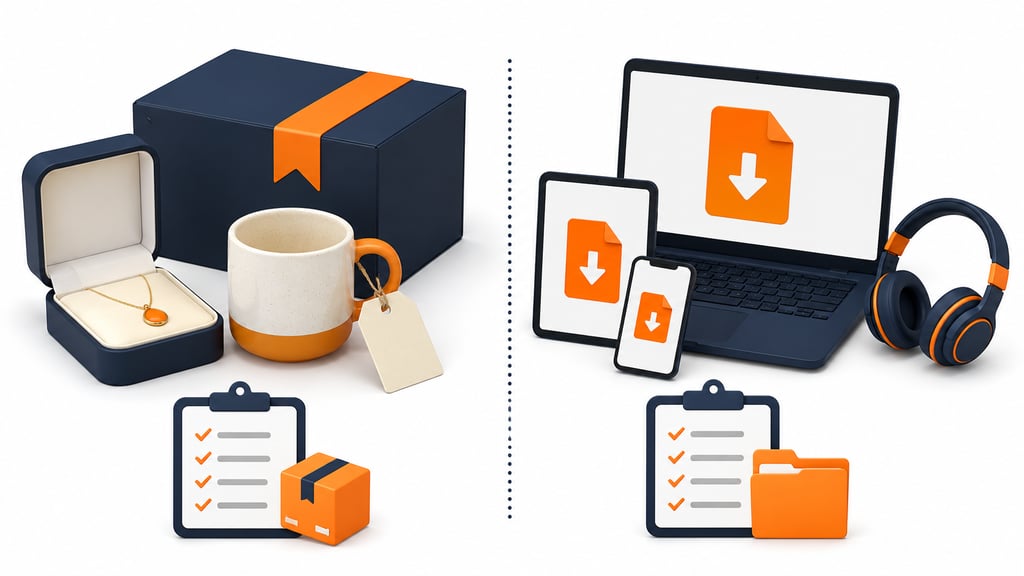
A single Etsy listing template rarely fits both product types well, and treating them the same is a common gap. Physical items need the sections already covered above: dimensions, materials, and care instructions, since buyers can’t touch the product before it ships out through whatever fulfillment services your shop relies on.
Digital downloads work differently. There’s no shipping window or care instruction to write, so that space is better spent explaining exactly what’s included, what file formats buyers will receive, and how delivery works after purchase.
| Template Type | Sections to Prioritize |
| Physical product | Materials, dimensions, care instructions, shipping window |
| Digital download | File formats included, delivery method, usage instructions, licensing terms |
Keep a separate Word template for each type. Trying to force both into one layout usually means one product type ends up with irrelevant sections it doesn’t need. Packaging choices matter here too; our ecommerce packaging guide covers what typically fits a small handmade item best.
Common Mistakes That Undercut a Good Listing Template
Even a well-built template can fail if it’s used carelessly. Watch for these habits:
- Leaving placeholder text in a live listing. A stray [MATERIAL HERE] left in a published description looks careless and costs sales.
- Copying the title into the description opener. It reads as repetitive to buyers and works against how Etsy’s own query matching evaluates relevance.
- Ignoring mobile formatting. Most Etsy shoppers browse on a phone, so long, unbroken paragraphs get skipped. Bullet points and short blocks hold attention better.
- Forgetting to update shipping windows. This gets worse if you’re offering international shipping on Etsy without adjusting the estimate for it, since an outdated window creates real customer service headaches.
Download the Free Template For Etsy
Build It Once, List Faster After
A well-built template isn’t a one-time project you forget about. It’s infrastructure for your shop, the same way packaging or pricing is. Set the sections up right in Word, build in placeholders for the details that change, and keep the formatting consistent.
Every future listing gets faster to produce and easier for buyers to trust from the start. Download the free template above and drop in your first product to see how much time it saves.
If you’d rather have fulfillment handled for you, connect your Etsy shop to Fulfyld and let pick, pack, and ship run itself.
Templates track the work. We do the work.
This file will carry you a long way. But past a few hundred orders a month, tracking fulfillment in a spreadsheet becomes the bottleneck. That is the point of a 3PL: Fulfyld picks, packs, and ships every order under a formal SLA with automatic credits, one flat all-inclusive per-order price, and a dedicated account manager who knows your catalog.
Get a real quote