

A well-designed order form can significantly impact the success of your T-shirt business.
Whether you’re running a small online shop or managing a larger operation, an efficient, user-friendly form streamlines your operations and makes the buying process easier for customers.
Below is a quick breakdown of what’s in the free template, when to use it, and how to make it yours.
What’s Included in This T-Shirt Order Form Template
This free, editable template is built to capture everything you need in one pass, so you’re not chasing customers for missing details after the fact. It covers:
- Customer details: name, contact info, and shipping address
- Product specs: size, color, quantity, and style or fit
- Design details: logo upload, placement, and custom text
- Payment info: method, amount, and billing address
- Delivery preferences: shipping method and target date
- Notes field: for special requests or rush timing
Every field in this t-shirt order form exists to prevent a specific kind of mistake: a wrong size, a missing logo file, an address typo.
Fill it out once with your branding, and it’s ready to reuse instantly for every order that comes through.
Common Order Form Use Cases

Not every seller needs the form for the same reason. The right setup depends on how you’re actually taking orders.
- Online storefronts: one form per transaction, tied to a single checkout and shipping address
- Bulk or group orders: team jerseys, school spirit wear, or company swag, where one coordinator collects sizes from a whole group before placing a single combined order
- Event and fundraiser sales: a printed or shared version that volunteers use to record in-person orders and payment on the spot
- Custom design requests: orders that need an artwork upload field and a placement note, since the design itself is part of what’s being approved
- Corporate or employee orders: internal requests that may need a department or employee ID field for expense tracking
Knowing which of these fits your business tells you which fields to keep or cut before you send the template out.
Why a Standardized Order Form Improves Your Operations
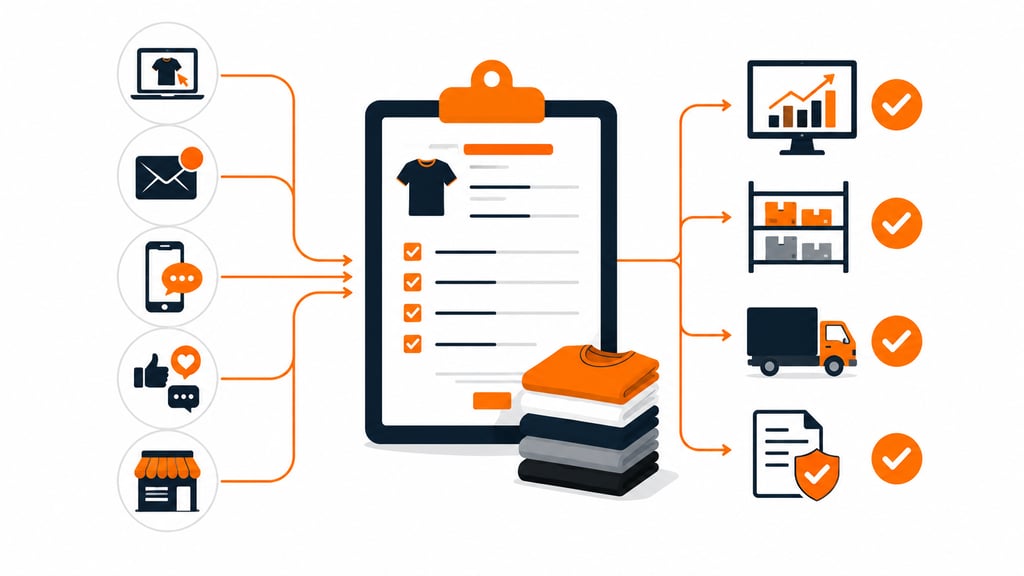
Running a T-shirt business means managing numerous orders, coordinating with customers, and ensuring accurate fulfillment.
A standardized form serves as a vital tool that centralizes all the necessary information, which makes the ordering process smooth and hassle-free for both you and your customers.
A consistent structure is what makes the streamlining effect on your business operations possible in the first place. When every order comes in the same format, you get:
- Fewer errors from manual data entry across email, phone, and social messages
- Better inventory tracking and production prioritization
- Delivery preferences are captured up front, so shipping schedules can be planned around them, not guessed at
- A paper trail you can reference if a dispute comes up later
Picture orders arriving through five channels at once. Without a central form, something eventually gets missed.
A standardized one closes that gap. It also enhances the overall customer experience, since customers already know exactly what information you need from them.
Designing the Form for Speed and Accuracy
Collecting the right fields is only half the job. How those fields are presented determines whether customers fill the form out correctly the first time.
- Dropdowns and checkboxes instead of open text fields for size, color, and style; this removes most of the guesswork that leads to reprints
- Product images or color swatches next to those options, so customers can confirm what they’re ordering before submitting
- Mobile-friendly layout, since most shoppers are filling this out on a phone, not a desktop
- A single notes field for anything that doesn’t fit a predefined option, like a print placement request or a rush deadline
Say a customer wants a shirt with a custom design featuring their favorite sports team.
With the right layout, they upload the logo and describe placement directly, and you get a print-ready brief instead of a vague request.
Offering multiple payment options (card, PayPal, or cash on delivery) on the same form removes another point of friction that causes people to abandon an order halfway through.
Branding the Template as Your Own
Once the structure works, make the form look like it belongs to your business rather than a generic download.
- Drop your logo, brand colors, and fonts into the header so it reads as an extension of your brand
- Put branding at the top of the form, so it’s the first thing customers see
- Add a short tagline or one-line business description for a bit more personality
- Keep the layout consistent with your site and packaging
That immediate recognition builds familiarity, and familiarity is what makes customers more likely to complete the purchase instead of abandoning a form that looks unfamiliar or thrown together.
Choosing the Right Format for Your Form
The template downloads as an editable spreadsheet, but that’s not the only option out there, and the right format depends on how you’re collecting orders.
| Format | Best For | Trade-off |
| Spreadsheet (Excel/Sheets) | Bulk or group orders, internal tracking | No built-in payment collection |
| Printed/PDF | In-person events, fundraisers | Requires manual data entry afterward |
| Online form builder | Storefronts needing live payment | Usually a paid tool beyond a basic template |
A spreadsheet works well if you’re collecting sizes from a group before placing one combined order, since you can filter and sum quantities in the same file.
If you’re taking payment directly from individual customers online, you’ll eventually want to pair this template with a checkout tool rather than relying on the spreadsheet alone.
Getting the Most Out of Your Order Form
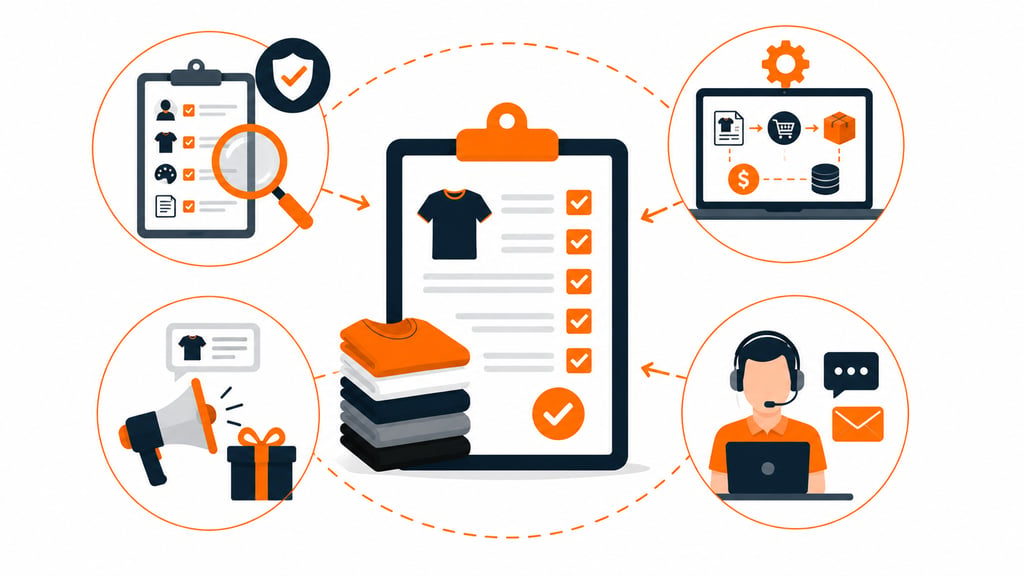
Having the right form is only half the job. A few habits make the difference between a form that works well and one that quietly creates problems.
- Verify before production. Check contact details, design choices, and special notes against the actual order before anything gets printed. Consider a quick confirmation step where customers approve their details before you move forward.
- Automate where you can. Once volume grows, connect the form to a system that handles order fulfillment, payment, and inventory updates automatically, which removes the human error that comes with manual entry.
- Use it as a light marketing touchpoint. A line about a referral incentive or an upcoming drop costs nothing and reaches customers who are already engaged and ready to buy.
- Make support easy to find. A short thank-you note after submission, plus a clear way to reach you, keeps small mix-ups from turning into refund requests.
Stop Chasing Details, Download Your Template Now
A well-built order form pays for itself the first time it prevents a reprint. Grab the free, editable template below, customize it with your branding, and start collecting cleaner, more accurate orders today.
Templates track the work. We do the work.
This file will carry you a long way. But past a few hundred orders a month, tracking fulfillment in a spreadsheet becomes the bottleneck. That is the point of a 3PL: Fulfyld picks, packs, and ships every order under a formal SLA with automatic credits, one flat all-inclusive per-order price, and a dedicated account manager who knows your catalog.
Get a real quote