

A messy order form costs you more than time. It costs you mismatched sizes, delayed shipments, and customers who don’t come back. If you sell tees, hoodies, uniforms, or custom merch, your apparel order form is the single document that stands between a clean sale and a returns headache.
This guide breaks down the fields your form needs, why an editable version beats building one from scratch, and how to set yours up in a way that holds up once orders start piling in.
Essential Fields Every Apparel Order Form Template Should Include
Every clothing order form is a bridge document. It connects what the customer wants to what your team can actually produce and ship. Skip a field, and someone downstream is stuck guessing.
| Section | What to Capture | Why It Matters |
| Product details | Item name, SKU, short description | Prevents mix-ups between similar styles |
| Size and color | Dropdown or grid selection | Cuts the #1 cause of apparel returns |
| Customization | Embroidery, print, monogram notes | Keeps custom orders accurate |
| Quantity and pricing tiers | Unit count, bulk discount logic | Speeds up wholesale and team orders |
| Customer info | Name, phone, email, shipping address | Required for delivery and follow-up |
| Order summary | Line items, totals, taxes, shipping | Removes surprise costs at checkout |
Beyond the fields themselves, layout matters. A cluttered form loses customers before they finish. Keep labels short, group related fields together, and use dropdowns or checkboxes instead of free-text wherever you can, since that alone cuts down on typos and mismatched sizing.
For longer, multi-item orders, a simple progress indicator helps customers see how much is left, which keeps abandonment rates down. Get the fields right, and you shrink the returns you have to process before they ever start.
Common Types of Clothing Order Forms (and How the Fields Change)
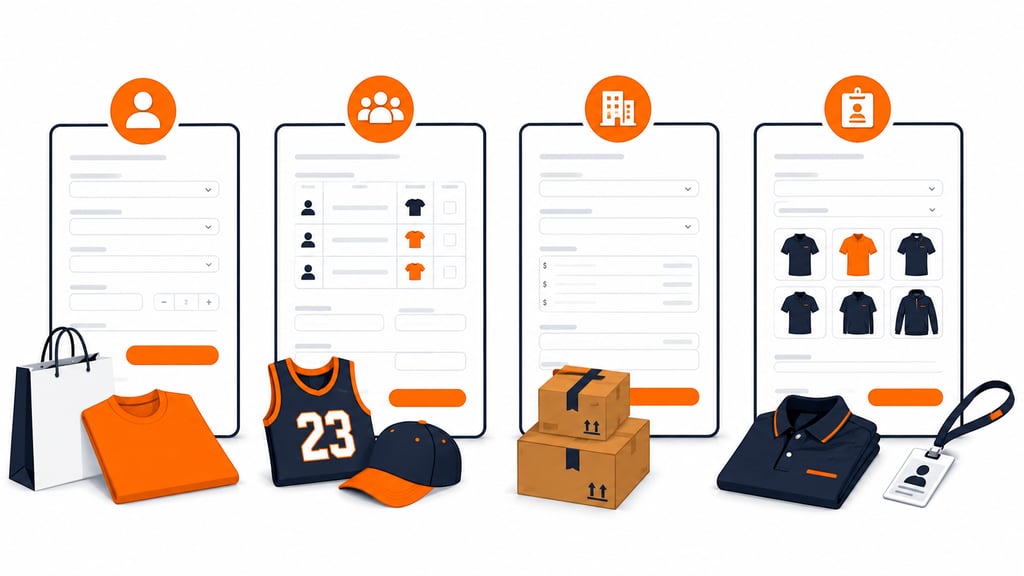
Not every clothing order looks the same. The fields shift depending on who’s placing the order, and knowing your buyer type keeps the form from being either too thin or cluttered with fields nobody needs.
| Order Type | Who’s Buying | Fields to Add |
| Direct-to-customer retail | One individual shopper | Standard item, size, color, and quantity fields; nothing extra |
| Team, school, and spirit wear | A group, collected by one organizer | Roster-style layout, name or number on garment, group sizing chart |
| Wholesale and B2B reorders | Another business, not a shopper | Purchase order number, price-break tiers, separate ship-to and bill-to addresses |
| Corporate uniform orders | Employees from a fixed catalog | Employee ID or department, budget code, standardized item list |
A printable apparel order form earns its keep with the team and spirit wear category, especially. It can get passed around a locker room, classroom, or office before anyone touches a computer. If most of those bulk orders are tees, Fulfyld’s t-shirt order form template is already built around that same roster-style workflow.
Building one flexible template and adjusting the fields for the buyer type in front of you beats maintaining four completely separate documents. First-time wholesale buyers often need a new customer intake form alongside the order itself to capture tax IDs and payment terms.
Designing for a Better Customer Experience
A smooth and hassle-free ordering experience is what keeps customers coming back. It comes down to how the form feels to use, not just what data it collects.
Keep the Path to Checkout Short
Every extra field is a chance for someone to abandon the order, so ask only for what you need to fulfill it and save optional details, like gift notes, for last. Show taxes and shipping in the running total instead of surprising the customer at the final screen; hidden costs are one of the most common reasons carts get abandoned.
This matters even more on mobile, where a large share of apparel orders now happen. A size dropdown that’s hard to tap, or an order summary that gets cut off the screen, can cost you a sale you’ll never hear about.
Build Trust and Add Value
A quick security note near the payment fields, or a small badge confirming the checkout is encrypted, reassures shoppers who are still deciding whether to hand over their card details. The order itself can also work as a quiet upsell.
A relevant suggestion, like a matching item or a bundle discount based on what’s already in the cart, can lift average order value without feeling pushy. Brands that specialize in apparel fulfillment tend to bake these habits into checkout by default, since they see firsthand how much friction costs.
Benefits of Using an Editable Apparel Order Form Template
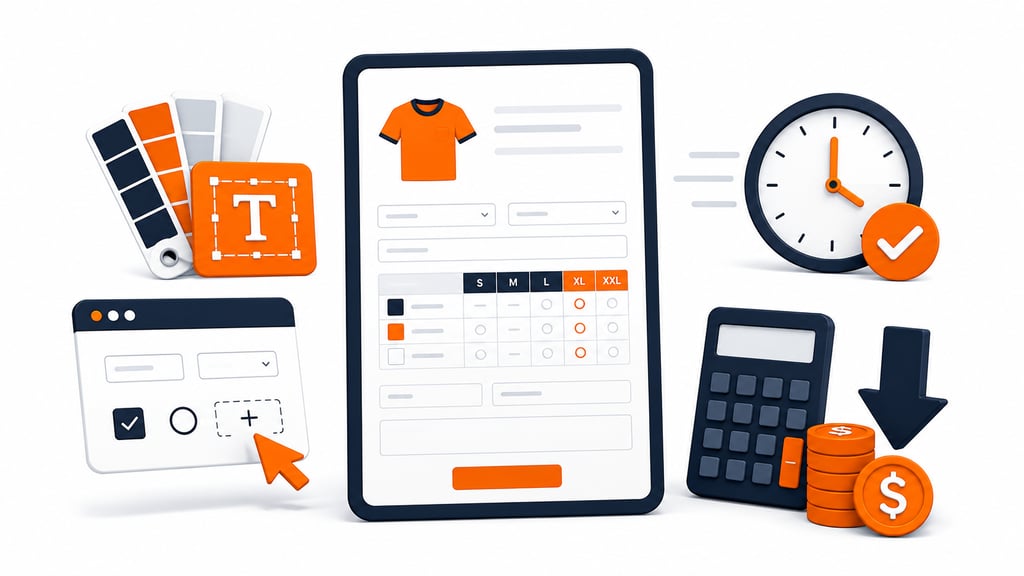
Building an order form from zero takes design skills, dev time, or both. An editable template skips that step entirely.
Flexibility and Customization
You can adjust the layout, swap in your brand colors and fonts, and add or remove fields until the form matches exactly how your business operates. Need a field for rush orders or gift notes? Add it.
Don’t sell customized pieces? Cut that section out. The template adapts to you, not the other way around.
Time and Cost Efficiency
Hiring a designer to build a custom form from scratch isn’t cheap, and it takes time you probably don’t have during a busy season. Starting from a proven layout means you’re editing, not building. As your product line grows or your process changes, you can update the same file instead of starting over.
Tips for Keeping Your Order Form Accurate Over Time
A form that works on day one won’t necessarily work six months from now. Product lines shift, new sizes get added, and small friction points that seemed minor at launch start costing you real orders. Treat the form as something you tune regularly, not something you set once and forget.
- Revisit it every quarter. Pull customer feedback and support tickets, and check whether any fields consistently confuse people or get skipped.
- Watch for drop-off points. If customers abandon the form at a specific field, like customization or shipping, that field is probably too confusing or poorly labeled.
- Connect it to your backend. Manually retyping order details into your inventory or accounting software wastes time and invites errors. Automate that transfer so an order placed on the form flows straight into your fulfillment workflow without anyone touching a keyboard twice.
- Loop in whoever processes the orders. The people who pick and pack your orders usually spot missing or unclear fields long before a customer complaint does.
- Retire fields nobody uses. If a field is left blank on most orders, it’s adding clutter, not value. Cut it or make it optional.
Pro tip: Keep a running note of every order that comes back with a size, color, or customization issue. If the same mistake shows up more than twice, that’s not a customer error; it’s a sign the form needs a fix.
Download Template For Your Clothing Brand
Grab the Template and Put Sizing Mix-Ups Behind You
Every mismatched size or missing customization note traces back to the same problem: a form that didn’t ask the right question at the right time. Get the fields right, and returns drop, support tickets shrink, and orders move through production without a second round of back-and-forth emails.
Templates track the work. We do the work.
This file will carry you a long way. But past a few hundred orders a month, tracking fulfillment in a spreadsheet becomes the bottleneck. That is the point of a 3PL: Fulfyld picks, packs, and ships every order under a formal SLA with automatic credits, one flat all-inclusive per-order price, and a dedicated account manager who knows your catalog.
Get a real quote