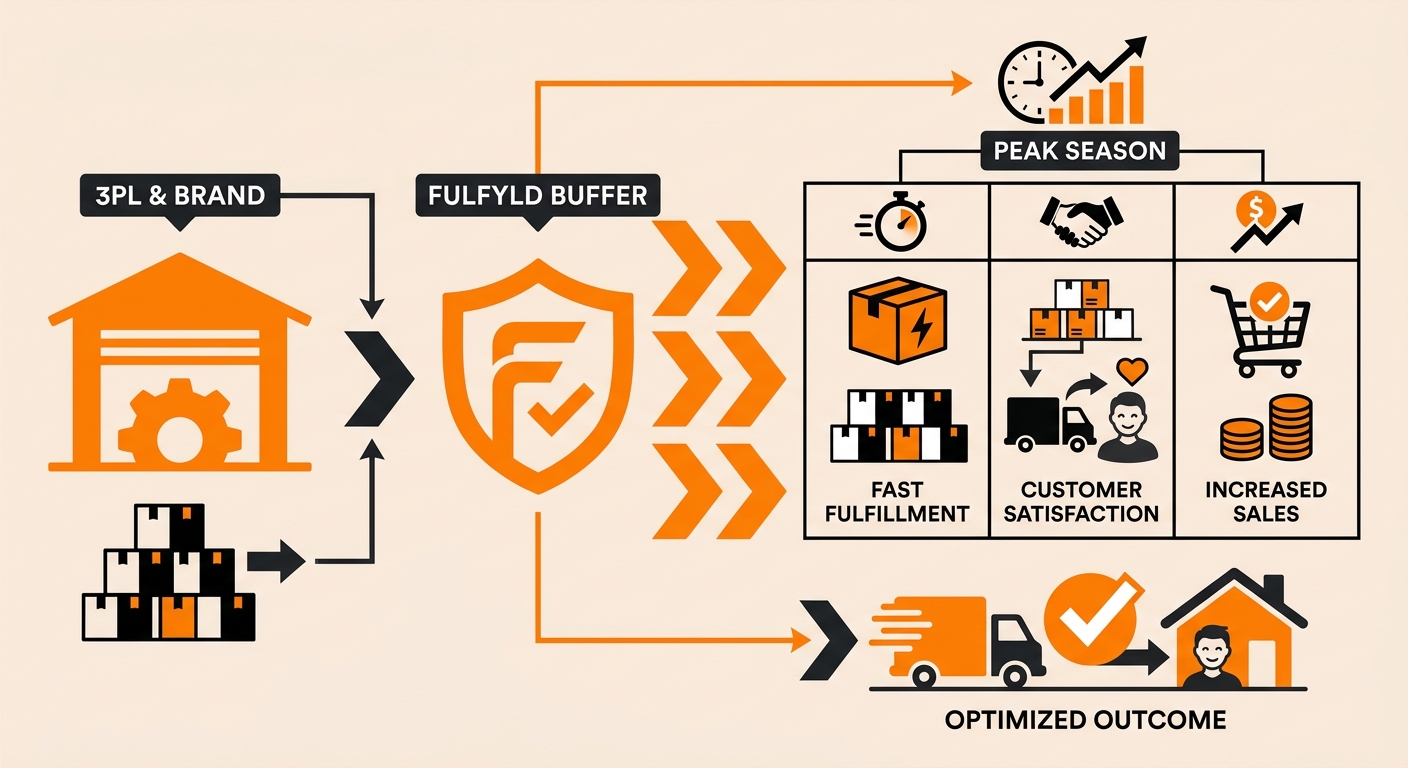
Quick answer: The earlier you send it, the better. Aim to have buffer stock fully received and confirmed in Shipedge at least two to three weeks before your peak window opens, accounting for your supplier’s lead time and transit to Madison, AL.

How to Set Up a Peak-Season Inventory Buffer: Step-by-Step
Here’s how to set up an inventory buffer step by step:
Step 1: Identify Your Peak Window and Work Backward
Define the start and end dates of your peak sales period. Then work backward from the start date to determine when buffer stock needs to be in the warehouse.
Add your supplier’s production or lead time, transit time to Madison, AL, and Fulfyld’s receiving window. That gives you your order-by date for the buffer replenishment.
A simple example: if your peak starts on November 1 and you need stock confirmed by October 20, and your supplier takes 3 weeks to produce and freight takes 10 days, your purchase order needs to go in by late September at the latest.
Step 2: Calculate How Much Buffer You Need
Pull your daily order volume from your storefront analytics for the same period last year. If last year’s data isn’t available or reliable, use your current daily average and apply a conservative uplift: 30–50% above your normal daily rate is a reasonable starting point for most brands in their first peak with Fulfyld.
Multiply your estimated daily peak order rate by the number of days in your peak window, then add a buffer of 10–20% on top of that for demand variance and any supplier or transit delays. The result is your target on-hand quantity for each SKU entering the peak window.
Step 3: Notify Your Account Manager
Before placing the purchase order with your supplier, loop in your account manager. Let them know a large inbound replenishment is coming, when it’s expected to arrive, and approximately how many units and pallets you’re sending.
Step 4: Submit the Replenishment in Shipedge Before Freight Ships
When your buffer stock is ready to ship from your supplier, submit a replenishment in Shipedge before the freight departs, not when it arrives.
Log in, click Replenishment from the dashboard, click Add Replenishment, and enter your BOL details: expected delivery date, tracking number, and SKU quantities in the P.O. Qty field. Do not click QTY Pre-Sync.
Click Insert, review, and click Submit Replenishment. Note the replenishment ID and make sure it appears on every box and pallet label.
Step 5: Confirm Full Receipt Before Your Peak Starts
After delivery, wait for Fulfyld’s receiving confirmation email before assuming the buffer stock is available. Check the confirmed quantities in Shipedge against what you sent and flag any discrepancies to your account manager immediately.
Buffer stock that’s partially received or sitting unprocessed at the start of your peak window isn’t protecting you.
Step 6: Monitor Inventory Levels Throughout the Peak
Check your inventory levels in Shipedge daily during the peak window. If a SKU is depleting faster than expected, contact your account manager and your supplier immediately; don’t wait until you’re at zero.
A Note on Holiday Carrier Surcharges
Major carriers apply peak-season surcharges during Q4, typically from October through January, that increase per-shipment costs on top of standard rates. These surcharges are carrier-imposed and pass through to your per-order fulfillment cost.
Learn more about Fulfyld guidance on holiday surcharges at Navigating Holiday Surcharges — What to Expect.
Still Have Questions?
To discuss peak-season planning for your account or to flag a large inbound replenishment, contact your dedicated account manager directly, or reach the Fulfyld team at hey@fulfyld.com or (256) 716-8241.
Frequently Asked Questions
How far in advance should I send peak-season buffer stock to Fulfyld?
Aim to have the buffer stock fully received and confirmed in Shipedge two to three weeks before your peak window opens.
What if my buffer stock sells faster than expected and I run out during peak?
Contact your account manager and your supplier immediately. Your account manager can tell you exactly how many units remain in Shipedge by SKU, so you know how much runway you have left.
Can I store extra buffer stock at Fulfyld for an extended period if my peak doesn’t materialize?
Yes. There’s no time limit on how long inventory can remain in storage at Fulfyld. You’ll pay the standard monthly storage rate per bin for however long the buffer stock sits in the warehouse.
Should I run a cycle count before my peak season?
Yes, and this is one of the most valuable things you can do before a high-volume period. A cycle count before peak confirms that your on-hand quantities in Shipedge match what’s physically in the warehouse, so your buffer calculations and your storefront inventory levels are both grounded in accurate numbers going in.
Does Fulfyld have a maximum storage capacity I should be aware of for large buffer shipments?
Fulfyld’s warehouse has finite capacity shared across all clients. For very large peak buffer shipments, multiple pallets significantly above your normal replenishment size, give your account manager as much advance notice as possible so they can confirm storage space availability and plan receiving accordingly.