

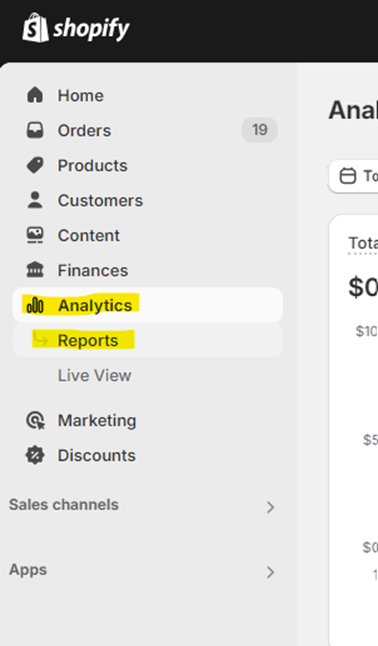
In your shopify store admin menu, click Analytics > Reports:
Once you’ve pulled this report, the natural next step is to figure out whether your current cost per order makes sense given your volume. If you’re evaluating a Shopify fulfillment partner, our complete guide walks through how to interpret these numbers in the context of provider selection.
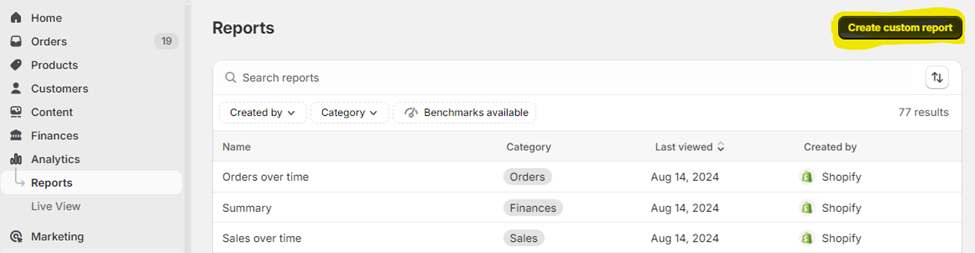
Next, Click Create Custom Report on the top left:
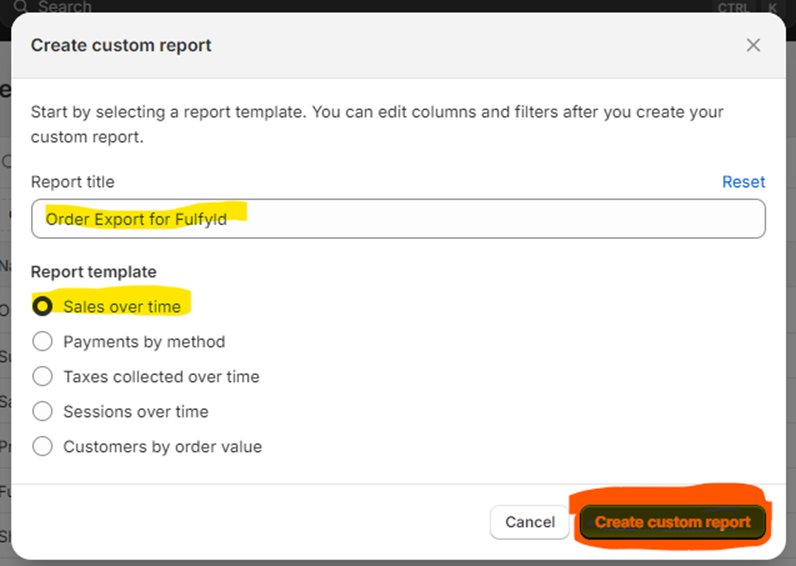
In the popup screen to “Create a Custom Report”, enter a title for the report, and then select the Report Template, Sales Over Time. Then click the Create Custom Report button:
Now, in the next step, we will be editing 3 different filter fields:
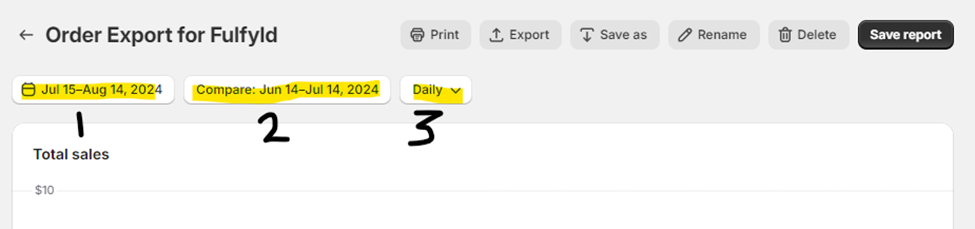
- Click the date range labeled 1 in the image above.
- Here, you’ll select the last full month of orders for your store, and click Apply.
- Here, you’ll select the last full month of orders for your store, and click Apply.
- Next, we’ll select the Filter labeled 2 in the image above.
- Here, we’ll select No comparison and click Apply:
- Here, we’ll select No comparison and click Apply:
- Select the filter labeled 3 in the image above
- Here, select the option for None:


Next, we’ll add some columns to the report. Click the menu option highlighted in yellow below:
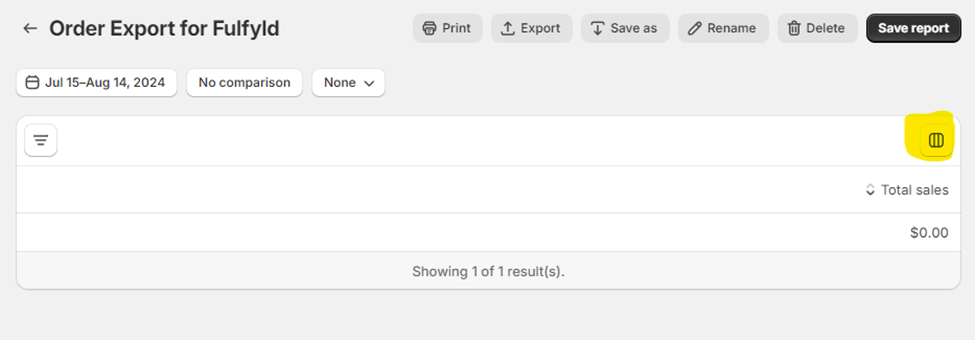
You should see a dropdown that looks like this:
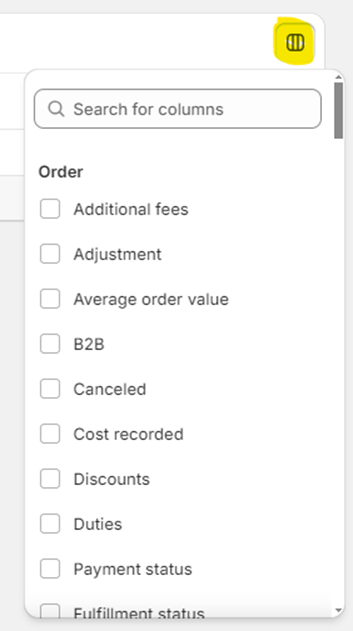
Here, you’ll need to select the following columns:
- Under the Order Section:
- Order Name
- Order ID
- Fulfillment Status
- Shipping
- Under the Product Section
- Variant SKU
- Ordered Quantity
- Under the Shipping Address Section
- Shipping Postal Code
- Shipping Country/region
- Shipping Region
- Under the Time Section
- Day
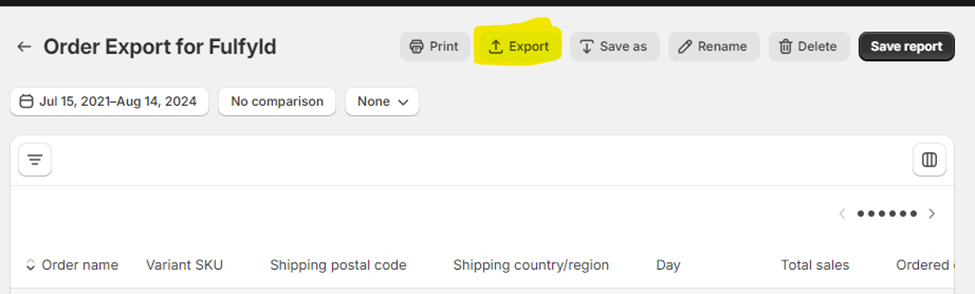
Finally, Click the Export button as seen below:
Thats it! Use this file to upload into the Shipping Analysis Form.