

Quick answer: To release a held order in Fulfyld, log in to the client portal, locate the order by its hold status, and release it directly through the portal. Or contact your dedicated account manager to release it on your behalf.
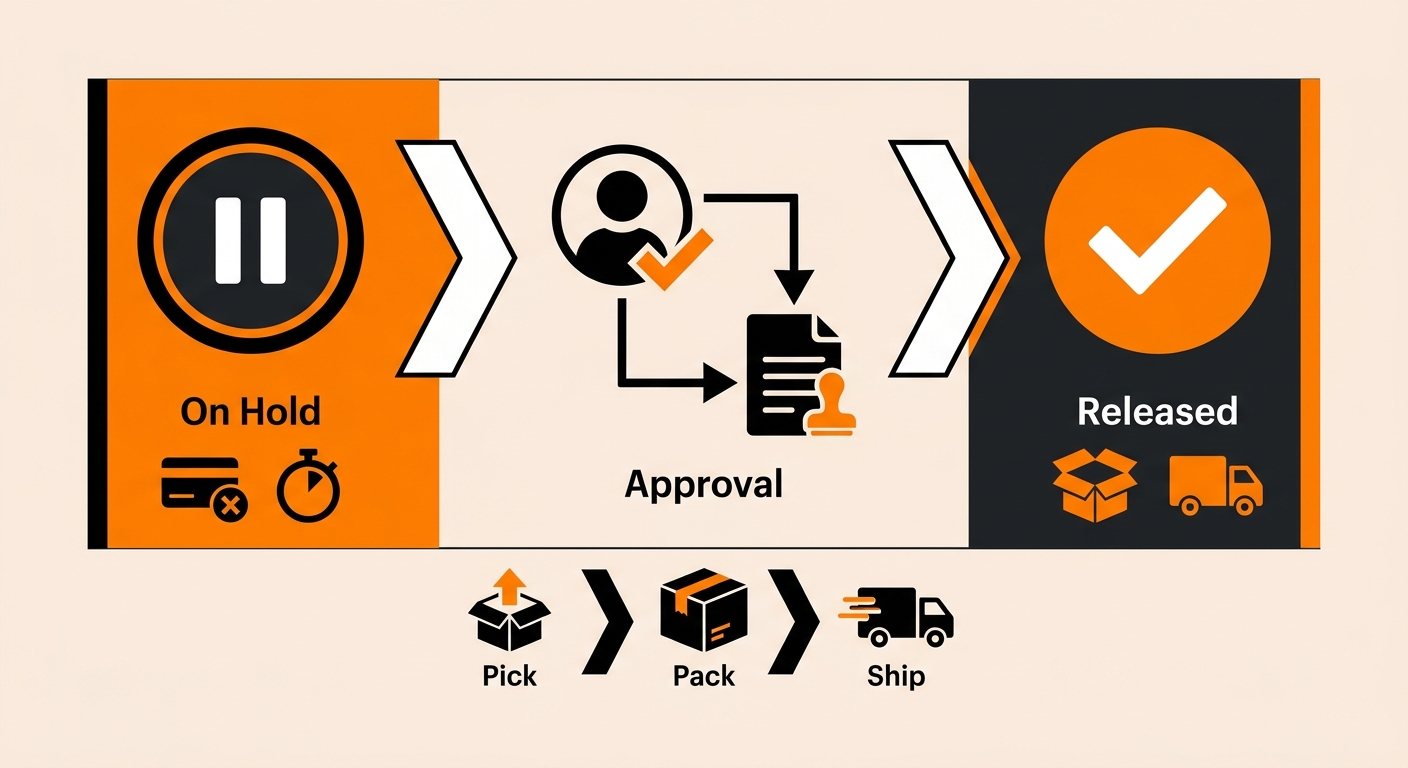
Releasing a Held Order: What to Do Step by Step
Follow these steps to identify and release a held order in Fulfyld.
Step 1: Log in to the Fulfyld Client Portal
Go to the Fulfyld client portal and navigate to your order management view. Filter orders by hold or pending status to surface any orders currently paused in the queue.
Step 2: Review the Hold Reason
Click into the held order and review the reason it was placed on hold. This tells you whether any action is needed before release.
Step 3: Resolve Any Outstanding Issues
If the hold was triggered by an address flag, correct the address in the portal before releasing. If it was triggered by an inventory issue, confirm with your account manager that the relevant SKU is available before releasing the order into the queue.
Step 4: Release the Order
Once any issues are resolved, release the order through the client portal. The order will re-enter the fulfillment queue and be processed according to Fulfyld’s standard SLA.
Step 5: Contact Your Account Manager If Needed
If you can’t release the order through the portal, contact your dedicated account manager. They can release the order on your behalf and confirm the correct next step based on why it was held.
Timing Matters When Releasing a Held Order
A held order doesn’t move through the fulfillment queue until it’s released. If an order has been sitting on hold and the customer is following up about their shipment, the hold is almost certainly the cause.
Checking for held orders in the portal should be one of the first steps when investigating a customer complaint about a delayed shipment.
Also, keep in mind that releasing an order after 1:00 PM Central Time means it won’t ship until the next business day under Fulfyld’s standard SLA. If same-day shipment is a priority for a specific order, release it before the cutoff.
Still Have Questions?
For help releasing a held order or reviewing your hold configuration, contact your dedicated account manager or reach Fulfyld at hey@fulfyld.com or (256) 716-8241.
Frequently Asked Questions
Can I release a held order outside of business hours?
The Fulfyld client portal is accessible at any time, so you can log in and release orders outside of business hours if the hold type allows self-service release. For time-sensitive orders, releasing before 1:00 PM Central Time on a business day is the most reliable way to ensure same-day processing.
What happens if I release an order that still has an unresolved address issue?
The order will re-enter the fulfillment queue, but it may generate a carrier-level address correction when the label is created, which adds a surcharge to your invoice and can delay delivery.
Can I set up an automatic hold window for all new orders on my account?
Yes. Some brands configure a short review window during which all new orders are held before being released to the warehouse floor. This is useful for catching address errors, fraudulent orders, or customer requests to modify an order before processing begins.
How do I place an order on hold if I need to pause fulfillment before it ships?
Log in to the Fulfyld client portal and locate the order you want to pause. From the order detail view, apply a manual hold before the order reaches the “Order in Progress” stage. Once processing has begun, a hold can no longer be applied.
Will a held order affect my fulfillment metrics or SLA reporting?
Hold time is not counted against Fulfyld’s processing SLA. The clock on same-day processing starts when an order is released into the active queue, not when it first syncs to Fulfyld’s system.